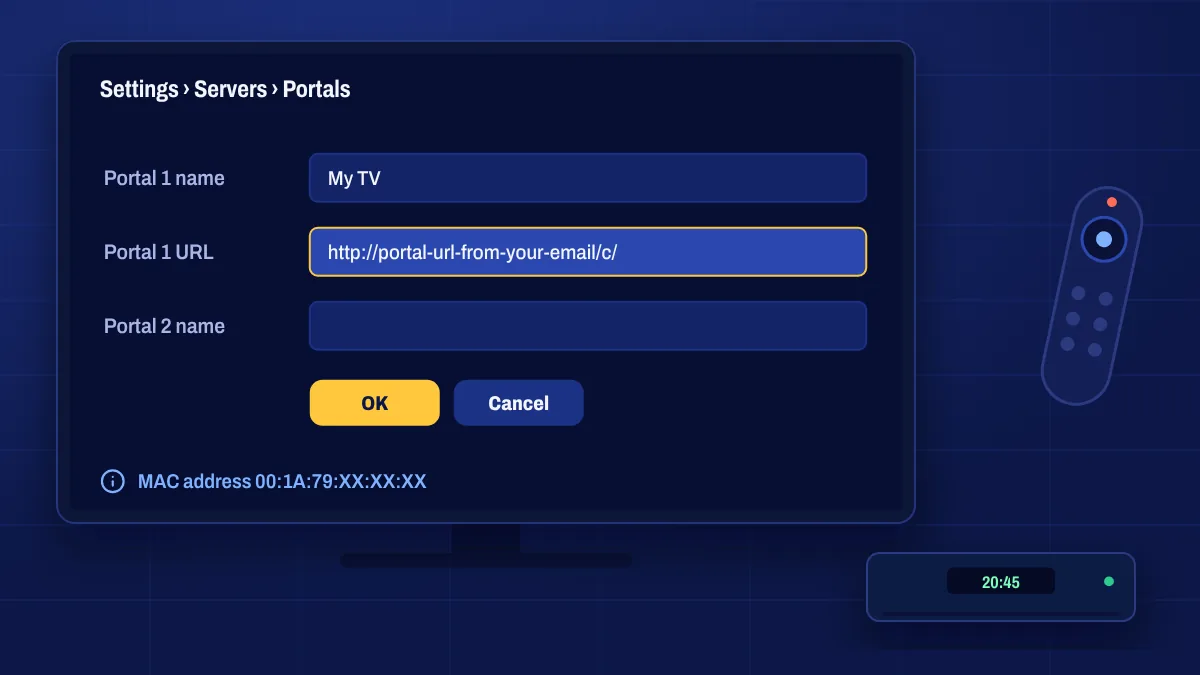
MAG boxes are dedicated IPTV set-top boxes. Instead of installing an app, a MAG box connects to a portal: a server address that loads your channels, on-demand library and TV guide in the box’s own interface. Your subscription is linked to the box’s MAC address, a unique code printed on the device.
What you need
- A MAG box in good working order, ideally a recent model with HDMI.
- Your box’s MAC address, which usually starts with 00:1A:79.
- The portal URL we send you after your order is activated.
Finding your MAC address
The MAC address is printed on a sticker on the bottom or back of the box. You can also find it on screen under Settings → System settings → Device info (menu names vary slightly by model). Add it in the MAC address field at checkout, or send it to us after you order.
Double-check the MAC address. One wrong character means the portal won’t recognise your box.
Entering the portal
- Turn on the box and open Settings, then System settings.
- Choose Servers, then Portals.
- Enter a name (anything you like) and the portal URL from your email in Portal 1.
- Save, go back and choose Restart portal or reboot the box.
The portal loads and shows your channels. If you see an error, check the URL character by character, including the slash at the end if there is one.
Tips for MAG boxes
- Use the Ethernet port. Most MAG boxes are designed for a wired connection.
- Keep the firmware updated from the system settings menu.
- Set the correct time zone so the TV guide lines up.
MAG questions
Can I use the same subscription on a MAG box and a phone?
A MAG portal is linked to one box’s MAC address. Using other devices at the same time depends on the connections on your subscription. Ask us about your setup.
What does “STB blocked” or “MAC not registered” mean?
The portal doesn’t recognise your box’s MAC address, usually because of a typo or because the subscription isn’t active yet. Open a support ticket and include your MAC address.
Can I change to a new MAG box?
Yes. Send us the new box’s MAC address and we’ll move your subscription to it.