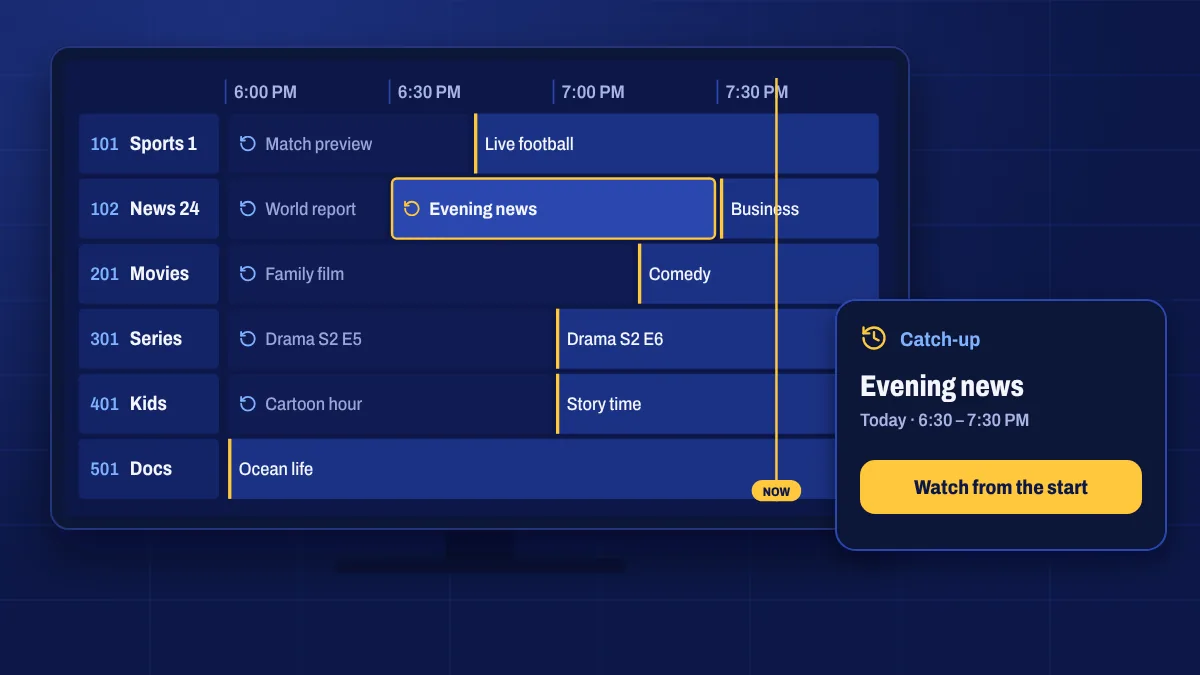
Catch-up TV (sometimes called replay or archive) lets you watch programmes that have already aired on a live channel. It’s the easiest way to watch the news bulletin you missed, start a match from kick-off or see last night’s episode, without recording anything.
How catch-up works
On supported channels, recent programmes are kept available for a limited time after they air. In the TV guide, those programmes are usually marked with a replay or archive icon. Select one and it plays from the beginning.
- Open the TV guide and choose a channel with catch-up.
- Scroll back in time to the programme you missed.
- Select it and press play.
Which channels have catch-up
Catch-up is available on selected channels, often popular entertainment, news and sports channels. How far back you can go depends on the channel and can range from a day to several days. The guide is the best place to check: if a past programme shows the replay icon, you can watch it.
Apps that support catch-up
Catch-up needs an app that supports it. Most popular IPTV players do, but some simple players only show live channels. If you can’t see catch-up in your app, check our setup guides for the apps we recommend, or ask us.
Catch-up vs on demand
Catch-up gives you recent programmes from live channels. The on-demand library is a separate collection of movies and series you can watch at any time.
Catch-up questions
How far back can I watch?
It depends on the channel, from about a day up to several days. Programmes older than that are no longer available on catch-up.
Can I fast-forward in catch-up?
Usually yes. Catch-up programmes play like recordings, so you can pause, rewind and skip forward.
Why can’t I see catch-up on a channel?
Not every channel offers catch-up, and some apps don’t support it. Try a channel marked with the replay icon, or switch to an app that supports catch-up.