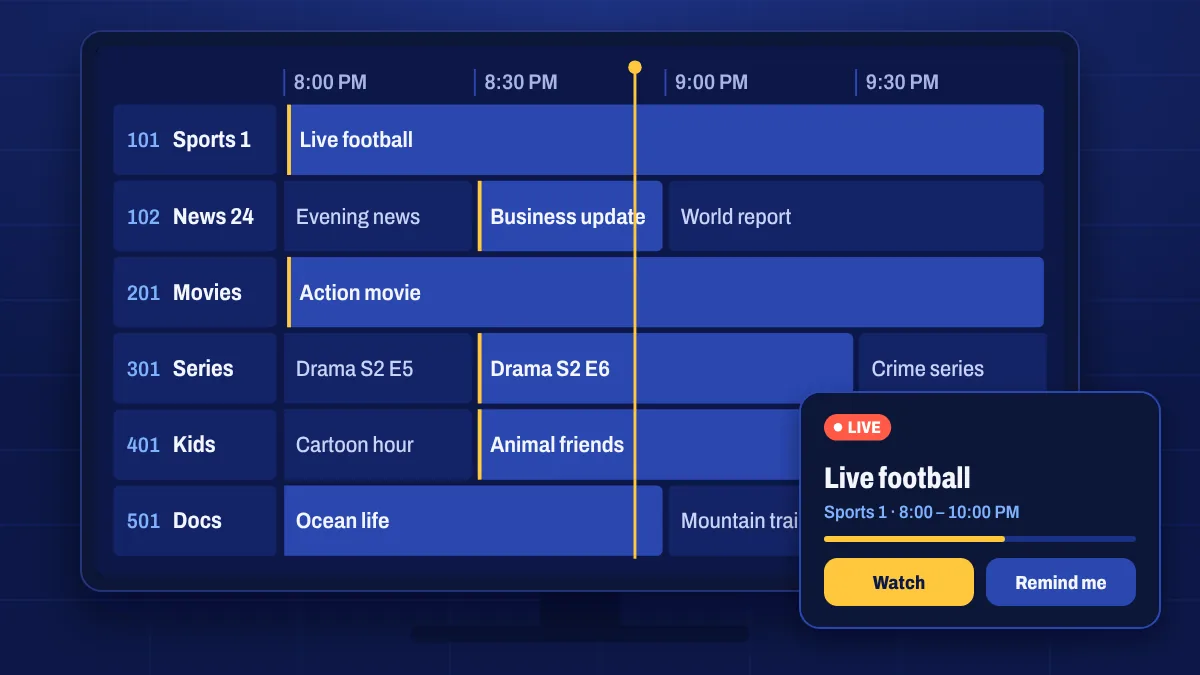
EPG stands for electronic programme guide: the grid of channels and times you know from cable and satellite TV. With Apollo Group TV, the guide shows what’s playing now and what’s coming up next on each channel, so you can plan your evening instead of flicking through channels.
What the TV guide shows
- Now and next on every channel, with programme titles and times.
- A timeline you can scroll forward to see later programmes.
- Programme details such as a short description, where the channel provides it.
- Catch-up markers on supported channels, showing which programmes you can go back to.
How to use it
- Open the TV guide (sometimes called EPG or Guide) in your app.
- Pick a category, such as sports or news, to narrow the grid.
- Scroll left and right through time and up and down through channels.
- Select a programme that’s on now to start watching, or a past one on a catch-up channel.
When the guide is empty or wrong
TV guide data is downloaded separately from the channels. If it’s missing or looks shifted:
- Refresh or update the EPG in the app’s settings. Many apps update it automatically once a day.
- Check the time zone on your device and in the app. A wrong time zone shifts every programme.
- Give it a minute after first sign-in, while the guide downloads.
- Restart the app if the guide still doesn’t appear.
Some smaller channels don’t provide guide data. In that case the channel plays normally but the guide shows no programme names.
Using an app that asks for an EPG link? You’ll find it in My subscription or in your welcome email.
EPG questions
Why is the guide a few hours off?
That’s almost always a time zone setting. Set the correct time zone on your device and in the app, then refresh the EPG.
Can I set reminders?
Some apps let you set a reminder or add a programme to a schedule from the guide. Look for the option when you select a future programme.
Does every channel have guide data?
Most channels do. A few smaller or event channels may not, but they still play normally.